01 / INSTALL AND EXPLORE
Start your working village
Able Villagers adds Foresters, mining crews and a village economy built around real stock. Trade needed tools and materials to workers, then give them access and time. Their goods can then supply your builds and other villagers.
Install in a separate profile
- Back up your world. Create a separate Minecraft Java profile and game directory for this experimental build.
- Use Minecraft Java 26.3, Java 25, and Fabric Loader 0.19.5. The tested Fabric API is 0.162.0+26.3.
- Put the matching Fabric API JAR and able-villagers-0.1.0-alpha.1.jar in that profile's mods folder. Keep only one copy of the mod. Recording helpers and test harnesses do not belong there.
- Fully close and restart Minecraft after replacing the JAR. Start a new test world before upgrading a valued save.
Choose your first job
Forester: start with an accessible bench, its two linked Grove Posts, an unemployed adult, an axe, spare oak saplings, ladder supplies and open soil. Watch one tree become stored logs and a replacement sapling.
Miner: choose a safe site before placing the bench. New placement supplies two linked corner posts. Place them diagonally opposite to start the quarry automatically. Sell needed tools, lighting and construction materials to the villager, then watch a first delivery.
You can also explore a village. Missing mining and forestry workplaces may be added when its centre and nearby terrain load; suitable space and normal job claiming still matter. Existing supplier shops can join the same market.
02 / BENCH AND FIRST SUPPLIES
Set up your Forester
Forester's Bench - crafting table
| Log | Sapling | Log |
| Iron ingot | Chest | Iron ingot |
| Log | Log | Log |
The recipe accepts the logs and saplings tags. A recipe ingredient being accepted does not mean every tree species is supported for harvesting.
- Place the bench on accessible ground near an unemployed adult villager. Allow normal job claiming during work hours; children, nitwits and trade-locked workers are not suitable new recruits.
- Right-click to inspect its 27 view-only stock slots. Trade with the Forester to sell needed axes, saplings, ladders and climbing supplies. He pays with actual business emeralds above the protected reserve.
- Place its linked Grove Posts diagonally opposite. The planting interior is 5-25 blocks per side; each post must be within 32 horizontal blocks of its bench. Keep the bench outside the interior. The second valid post activates automatically.
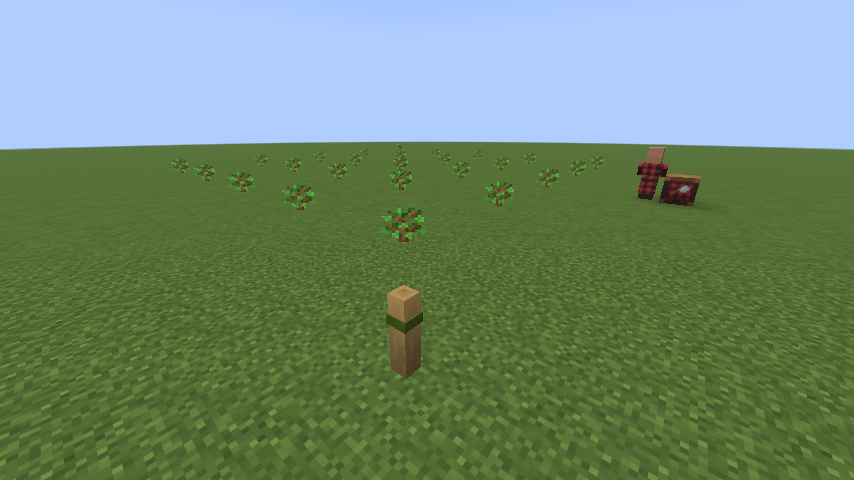
- Leave suitable dirt or grass, walking routes, light and growth room. A clear 25 by 25 area offers 25 sites, five blocks apart; filling them needs at least 26 saplings, including a spare. Smaller or obstructed areas have fewer sites.
- Let the worker plant and let trees grow normally. Keep spare saplings: orchard expansion protects a spare, and natural-tree harvesting reserves a replacement before cutting.
A practical first trial
Begin with oak and more than one sapling. Keep inventory space free, then watch the worker during the day. Growth can take time. Player-applied bone meal can speed an individual tree, but the worker does not create bone meal or force growth.
03 / HARVEST, REPLANT AND CRAFT
What the Forester does
In a posted grove, new planting and natural-tree harvests stay inside the selected area. All trunk bases must be inside; native canopies can overhang. Existing unconverted automatic groves keep their earlier 48-block roaming behavior until opted into posts.
Move or resize the grove
Break and replace a post. New jobs pause; an already-started harvest can finish, followed by ladder cleanup, matching replanting and return home. The latest valid pair then takes over. Missing supplies, full stock, unsafe paths or an unloaded worker can delay this. Old trees stay physical; shared planting sites remain managed. Inspect a post for status and a brief three-second outline. No automatic grove fence is built.
Natural trees and replanting
Recognized roaming species are oak, birch, spruce, cherry, acacia, jungle, dark oak and pale oak. Mangroves and Nether trees are excluded. Supported 2 by 2 trunks need four matching saplings; a single stump needs its matching replacement. Recognition is conservative, so connected, oversized, obstructed or ambiguous trees may be skipped.
The worker removes individual blocks, uses axe durability, collects real drops and replants the original stumps from reserved stock. Trees do not fall as a single animated object. Full inventory, missing seeds or tools, stock targets and unsafe routes can pause the next job.
Climbing and cleanup
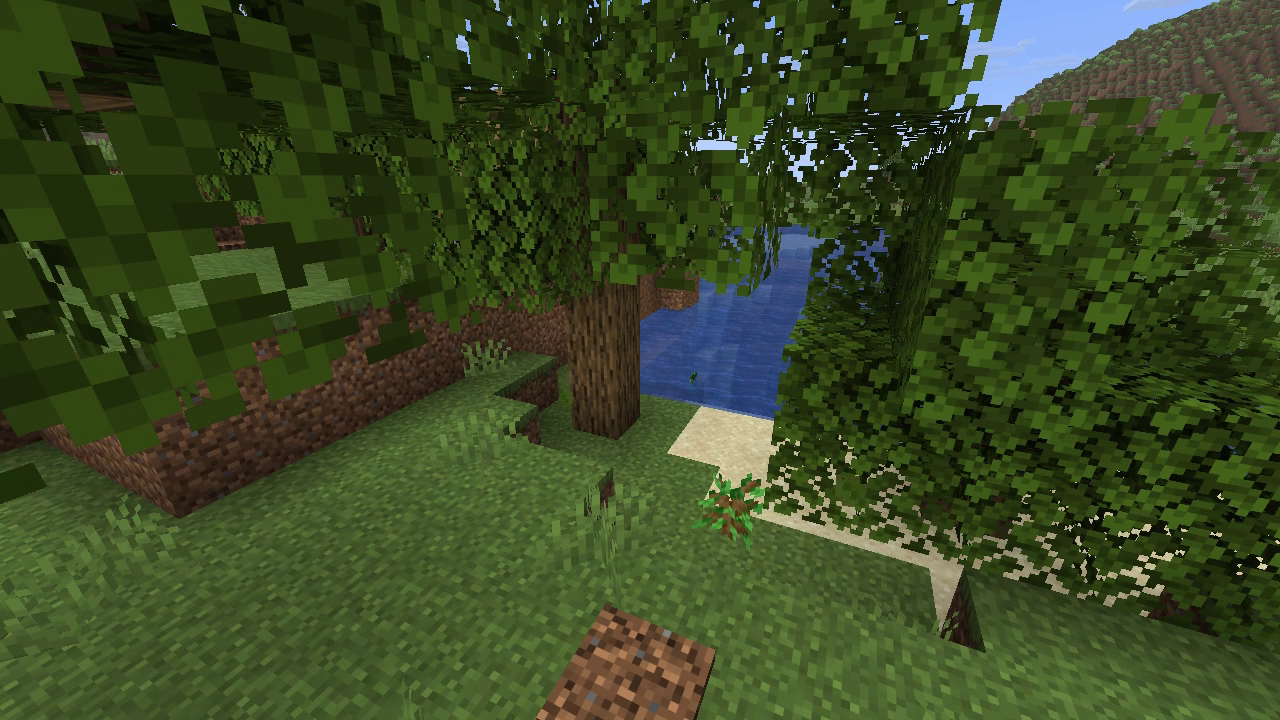
For high blocks, the Forester can place physical ladders and supports and climb them. Sell needed ladders, craftable ingredients and support blocks to the Forester. After harvesting, owned temporary access is dismantled from the top down and recoverable items return to stock. The cleared original stump is then replanted.
Cleanup waits for safe access, free stock slots and bystanders to move. Avoid changing a tower mid-job: player replacements are protected and removed materials do not earn an invented refund.
Wood becomes useful stock
At the bench, surplus logs become matching planks and surplus planks become sticks. Inputs are consumed; sale and working reserves prevent the worker converting everything. Right-click the Forester to buy the actual unlocked goods when stocked.
04 / PLACE, WATCH AND MOVE
Choose a quarry with two posts
Miner's Bench - crafting table
| Cobblestone | Chest | Cobblestone |
| Planks | Planks | Planks |
| Cobblestone | Cobblestone | Cobblestone |
- Place a mining bench on safe open ground. It supplies two linked Corner Posts, A and B. For an existing bench, sneak-right-click with an empty main hand to obtain missing posts.
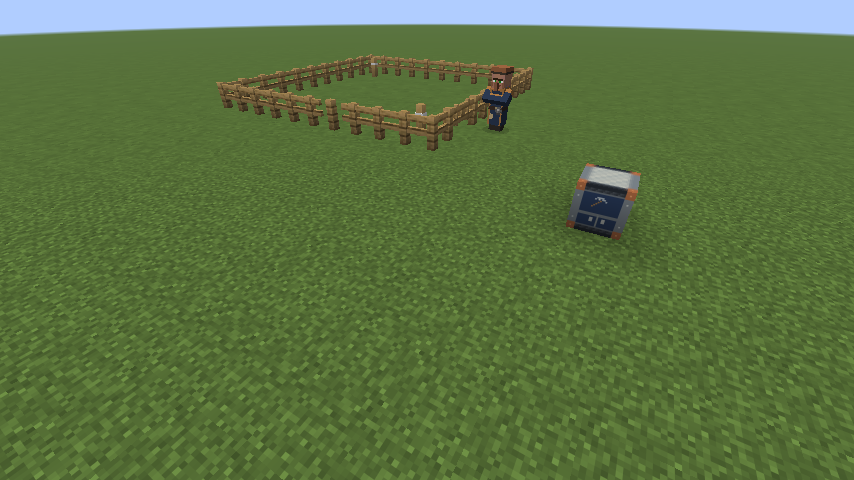
- Place the posts at diagonally opposite corners, outside the excavation. Each interior side must be 7-25 blocks. Each post must be within 32 horizontal blocks of its own bench. Leave at least two blocks between bench and excavation.
- The second valid post starts work automatically. One bench has one quarry. The bench sets the starting level; the crew digs down toward bedrock. Sell needed tools, lights and building materials to the villager.
- Inspect a post for status and a brief outline. Keep buildings and valuables outside the excavation and its one-block border. The crew builds its fence before excavation; keep the approach clear.
Move a post to move the quarry
Break and replace either post. Digging pauses immediately; the crew uses its old access route to return and unload. The latest valid pair takes over automatically once workers and cargo are home. Full storage or an absent worker delays the switch. Old stairs, fences, gates, terrain and depot contents stay in place. The crew builds a new perimeter at the new site; it does not recover the old fence automatically.
05 / WORK, HAULING AND STORAGE
Keep the mining crew supplied
A recognized village quarry can establish a foreman and three helpers; underground outposts can add a hauler. They share stock, tools and one emerald balance, with no separate starting purses. A standalone bench does not promise an instant crew.
Read the live setup checklist
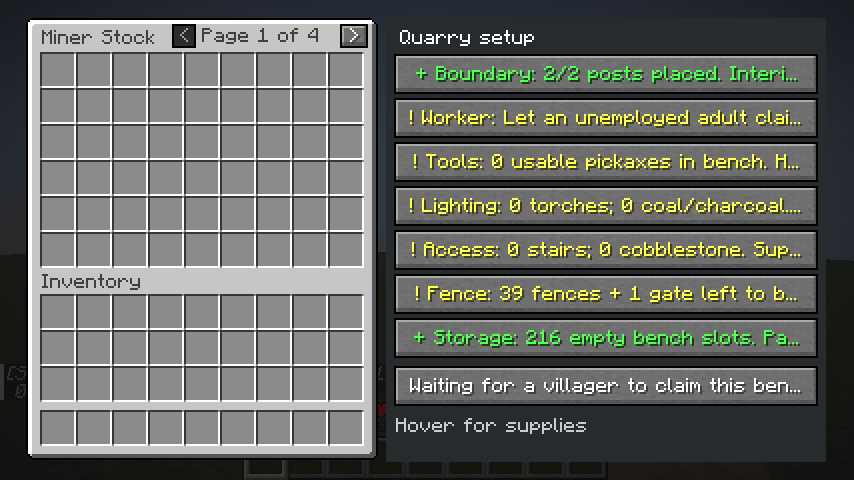
Open Miner Stock for the live side panel: linked posts, owner, tools, lighting, access, fence kit and storage, plus the current crew wait. Hover a clipped entry for full details. It counts stock and carried fence materials; readiness is a snapshot, not a promise of uninterrupted work.
Supply the fence and gate
For a 7 by 7 interior, budget 39 oak fences and one oak fence gate; larger boundaries need more. Sell needed finished pieces or oak-plank/stick ingredients through available supply offers. The crew places a real perimeter and gate before digging, using physical supplies. Missing parts, occupied cells or blocked access pause construction. Keep the gate and route clear; replace damaged sections or supply repairs.
Recognize the mining roles
The Deepstone Toolbench is one block. Burgundy and cream identifies an inactive mining owner (Shopkeeper look); navy and copper the active Foreman; blue overalls the Miner; ochre and a harness the Hauler. Shopkeeper is an owner appearance, not a separate new job. Caps have no lamps.
- Let the foreman establish the entrance and route. Helpers wait for usable access, then reserve separate targets and actual usable pickaxes.
- Keep a supply of suitable picks available. Tool tier controls which blocks can yield loot, durability is consumed, and missing tools can stop work. Local suppliers can help only when goods, money and routes are available.
- Keep lighting and stair materials stocked and return paths intact. Allow returning miners room to pass; cargo returns take priority on stairs.
- Leave storage capacity for deliveries and trade payments. The bench has 216 slots across four pages of 54. Arrow buttons browse all four view-only pages. Players cannot deposit, withdraw or rearrange business stock.
Progress and quarry safety
Crews return real cargo and wait for workers and loads before advancing a completed layer. Quarry height varies by site; the trailer's 110-layer result is not a universal depth or completion-time promise. Linked real storage and physically built overflow chests can hold extra goods.
06 / CONTROLS AND SUPPLY CHAINS
Trade from real inventories
| Action | What opens |
|---|---|
| Right-click a working adult villager | Native merchant screen with offers, level and XP |
| Right-click Forester or Miner bench | View-only business stock |
| Sneak-right-click a vanilla workstation | View-only 27-slot Workstation Stock |
| Regular right-click a vanilla workstation | Its normal Minecraft interface |
| Empty-hand sneak-right-click a Miner or Forester bench | Supply missing linked posts / opt an older bench into posts |
| Empty-hand right-click a placed Corner Post | Its linked bench, area, status and brief outline |
Stock is part of the transaction
A normal purchase removes the actual output from stock and puts your payment into stock. Sell needed goods through available supply offers. The business pays actual emeralds; current need, room and funds are rechecked when you take the result. A red sold-out X can mean missing goods, an unavailable workstation, reserved supplies or no room for payment. Leveling unlocks offers; it does not fill the warehouse.
Both inputs of a two-item trade are physical. Exact item components matter: an enchanted offer needs its matching result. Tools, seedlings, work supplies and the protected emerald reserve can be unavailable for ordinary sale. Current default businesses receive a one-time starting purse of up to 64 emeralds; helpers and storekeepers share the quarry bank.
A useful supply chain
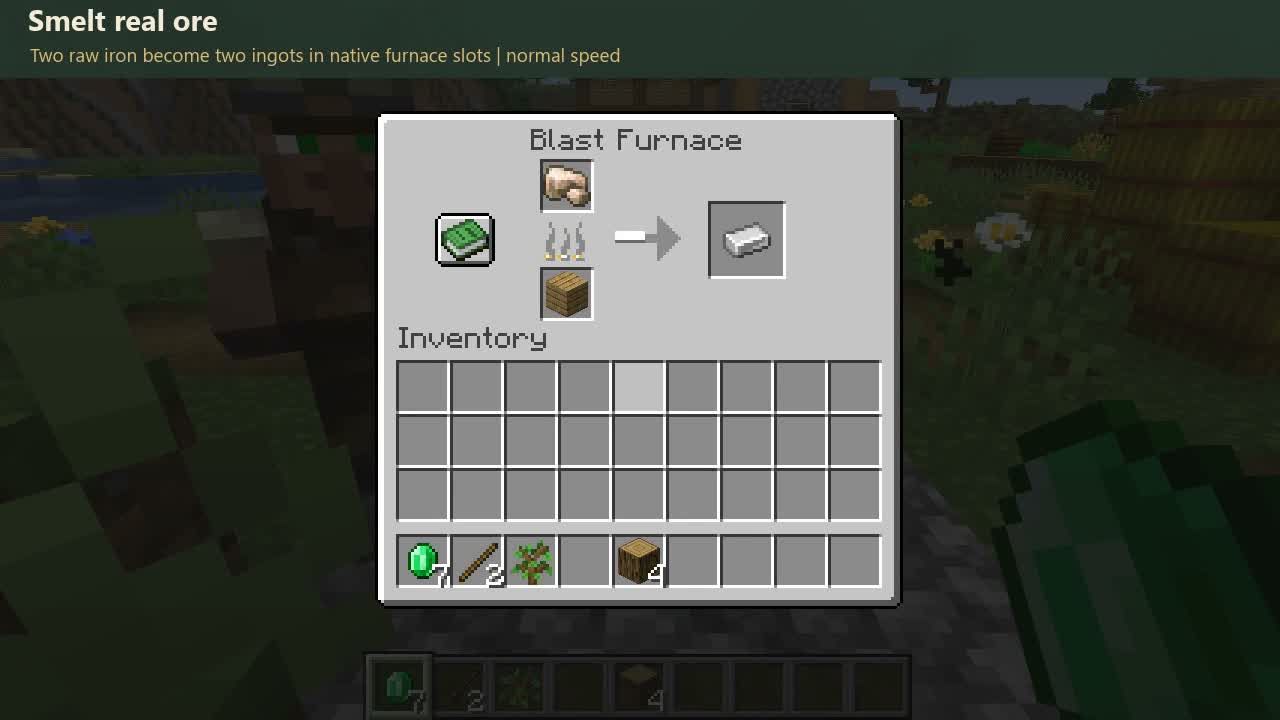
Miners deliver raw iron. An Armorer can buy it with actual emeralds, bring it home, load the real blast furnace with ore and fuel, and collect cooked ingots. Other workers can use those materials for their supported recipes and unlocked goods. Each purchase needs access, funds and available stock.
07 / DASHBOARD, TRASH AND SAVES
Read the village and protect it
Find the bottleneck
Run /mass economy or /villageeconomy. Ordinary players can open this read-only dashboard without operator permission. Visit employed villagers first so their economy can be observed.
- Overview: check workers needing attention. Sleep, growing trees and stock targets can be normal pauses.
- Workers: inspect workstation coordinates, status, stock and observation age. An old status may describe a previous attempt.
- Production: filter an item, compare stock with produced/consumed quantities, or select a time window.
- Supply chain: click an item to inspect producers, ingredients, equipment, budget and observed restrictions. Green indicates observed stock or satisfied inputs; red a restriction; yellow ongoing or partial work; gray unknown or unloaded information.
A supply tree is a diagnostic view, not a purchase order or a guarantee of a navigable route. Opening it does not trade, repair terrain, load chunks or manufacture goods. Existing stock is a baseline, not newly mined yield.
Recoverable trash
After the configured loaded-time delay, eligible loose items can become trash piles. Right-click to recover contents. Sneak-right-click with an empty main hand to pack a pile; place it to restore its contents. Breaking it drops the stored items. Fire, lava, explosions and the void can still destroy items. Avoid using Creative duplication behavior as a conservation test.
Move benches only after work is safe
Breaking a bench drops only an empty bench. Business stock stays saved at its original position and dimension. Replace the same kind of bench at that exact site to restore access. Placing it elsewhere does not carry the old stock. Legacy packed benches transfer contents once, merging with saved stock. Let crews return before moving; busy work can block changes.
Back up before updates. Keep valuable saves separate until you have tested the build. Removing the mod or downgrading is not an assured safe migration, and a new JAR requires a full client restart.
08 / TROUBLESHOOTING AND FIRST SUCCESS
When a worker pauses
| Symptom | Check next |
|---|---|
| No worker claims the bench | Adult, unemployed recruit; daytime; reachable unclaimed job site. A traded villager keeps its profession. |
| Forester ignores a tree | Matching spare saplings; supported species; inside the posted grove (or legacy roaming area); loaded terrain; protected or ambiguous tree. |
| Grove does not activate | Both linked Grove Posts? Interior 5-25 per side? Each within 32 blocks? Bench outside; usable soil/site, no overlap. |
| Ladder tower remains | Harvest finished? Access safe? Stock space free? Bystanders or player replacements blocking cleanup? |
| Miner does not begin | Both linked posts placed? Each within 32 blocks? Interior 7-25 per side? Check post status, overlap, loaded terrain, picks, lights and route supplies. |
| Moved quarry waits in amber | Old crew and cargo must return. Keep old stairs intact; leave stock room and load absent workers. |
| Trade shows red X | Goods/payout available; payment capacity; exact item variant; valid loaded workstation; reserved work stock. |
| Suppliers stop buying | Actual unlocked seller, spendable money, protected reserve, production demand and safe route. |
| Numbers stop changing | Sleep/work hours, stock targets, trees growing, unloaded area or stale dashboard snapshot. |
| Game fails to start | Match Minecraft, Java, Loader and API versions; remove duplicate JAR; inspect latest.log. |
Your first successful cycle
Forester: see a planted or eligible natural tree harvested, a matching sapling at the stump, goods returned to stock, and owned temporary access cleaned up when safe. Miner: see blocks removed inside the approved job, cargo carried home and stock increase. Trading: inspect a real payment and stock decrease on the correct sides of a completed trade.
Optional commands in a test world
/mass workplaces locates village workplaces. /mass quarry storage x y z confirm links a real chest near the bench (within 16 blocks). /mass quarry clear confirm cancels quarry permission/pending setup; return cargo first. These setup commands may require commands enabled/operator access.
/mass demo, /mass foresterdemo and /mass minerdemo create explicit test fixtures and supplies. Use disposable ground; their free kit is not ordinary Survival progression.
Report a reproducible problem
Include the mod/build version, Minecraft/Loader/API versions, mod list, steps, expected and actual behavior, worker status, coordinates, time/difficulty and relevant latest.log. Remove private account or server details before sharing. Use the feedback template to record a problem. The public issue tracker will be linked from the download page with the first release.
09 / A HOME FOR EVERY WORKER
Homes, paths and safe upgrades
One mod JAR contains a Forester home and a Miner home in each of the five vanilla village styles: plains, desert, savanna, snowy and taiga. New generation uses the improved layouts; existing player-world buildings are left intact.
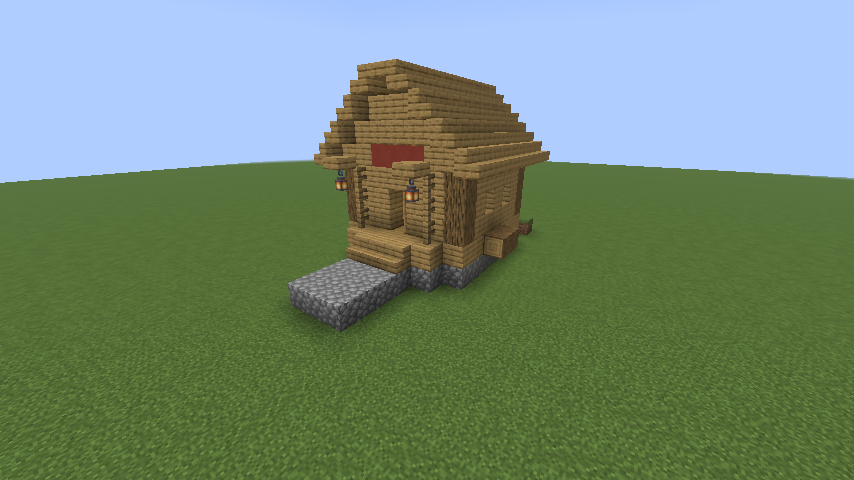
Both homes provide a sheltered bed, lanterns, stock chest and reachable bench. Front and rear stairs connect raised floors to the ground. Keep doors, the central aisle, bed access and chest lid clear. Provide continuous paths from the village road to the entrances and work area.
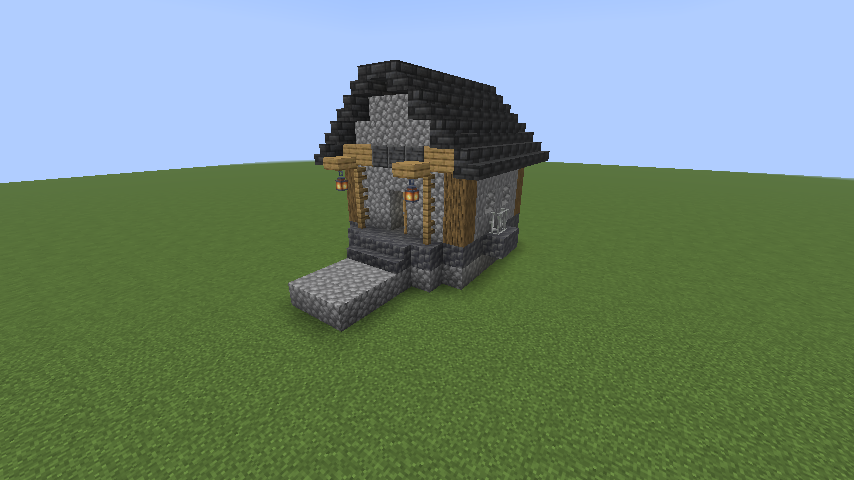
Fallback homes require a safe loaded footprint and a supported connection to an existing street. Terrain, water, structures, reserved work areas or bystanders can defer placement. Posts select work areas; they do not flatten the landscape or repair every route.
Before updating a world
- Close Minecraft fully. Copy the complete game profile saves and config folders, plus the old mod JAR. Verify the backup before replacing anything.
- Keep exactly one Able Villagers JAR and the matching Fabric API in mods. Restart the full client. First test a fresh Survival world, then a copy of an older world.
- Save, quit and reopen to check stock, posts, unfinished work and worker ownership. Keep the untouched backup. Downgrading or removing the mod is not a guaranteed safe migration.